Pop Thoughts / Guide
How to Invoice Your First Client When You’re Not VAT Registered
Not VAT registered? Here’s what your invoice must show, the two things it must never show, and how to send your first one, step by step.
 By André Bothma, Head of Tax at PopPay
You’ve done the work. Now you need to get paid, and you’ve never sent an invoice before.
Good news: if you’re not VAT registered, invoicing is simple. There are two things you must never do, a short list of things your invoice should show, and that’s it. I’ll take you through both, then show you how to send one from start to finish.
The video loads from YouTube (privacy-enhanced mode) only when you press play.
Follow along with your own invoice.
Send your first invoiceThe two rules for non-VAT businesses
1. Don’t call it a “Tax Invoice”.
A tax invoice is a VAT document. Only a VAT vendor can issue one. If you’re not registered, your document is just an invoice.
2. Don’t add VAT.
If you’re not a VAT vendor, there is no 15% on your invoice. Not “to look professional”, not because your client asked for it, not because the software has a VAT box. Your price is your price.
Charging VAT you’re not registered for doesn’t make you look bigger. It means you’ve collected money that belongs to SARS, and SARS will want it.
What your invoice should show
There’s no fancy legal format for an ordinary invoice, but a good one answers every question your client (and later, your accountant) might ask:
- Your details: your name or business name, and contact details
- Your client’s details: their name, and their address if you can get it
- An invoice number: number your invoices in sequence (001, 002, 003…) with no gaps
- The date you issued it, and when payment is due
- What you did: a clear description of the goods or services
- How much: quantity, rate and total
- How to pay you: your banking details
Keep a copy of every invoice you send. SARS expects you to keep your records for five years, and your invoices are the backbone of your income records.
Step by step: sending your first invoice in PopPay
I’ll show this in PopPay because it’s what I use, and it’s free: R0 a month, no paid plans, no card needed to sign up. (If you switch on card payments, the fee is 3% + R2 per South African card payment (3.5% + R2, plus FX, for international cards), before VAT, taken from your payout; EFT stays free.) The rules are the same in Xero, QuickBooks, Sage or a spreadsheet.
Step 1: Start a new invoice
Go to Get Paid → Invoices → Create invoice. Choose Customer invoice: you’re sending this to someone who owes you money.
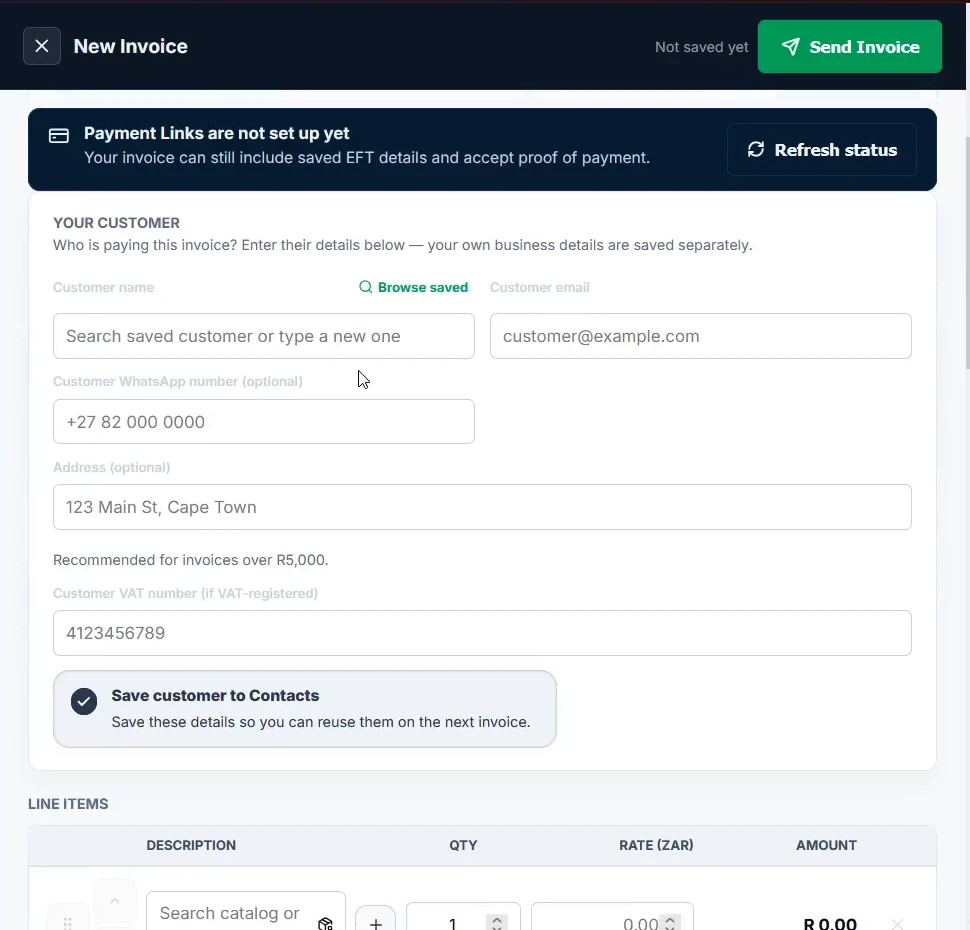
Step 2: Add your client’s details
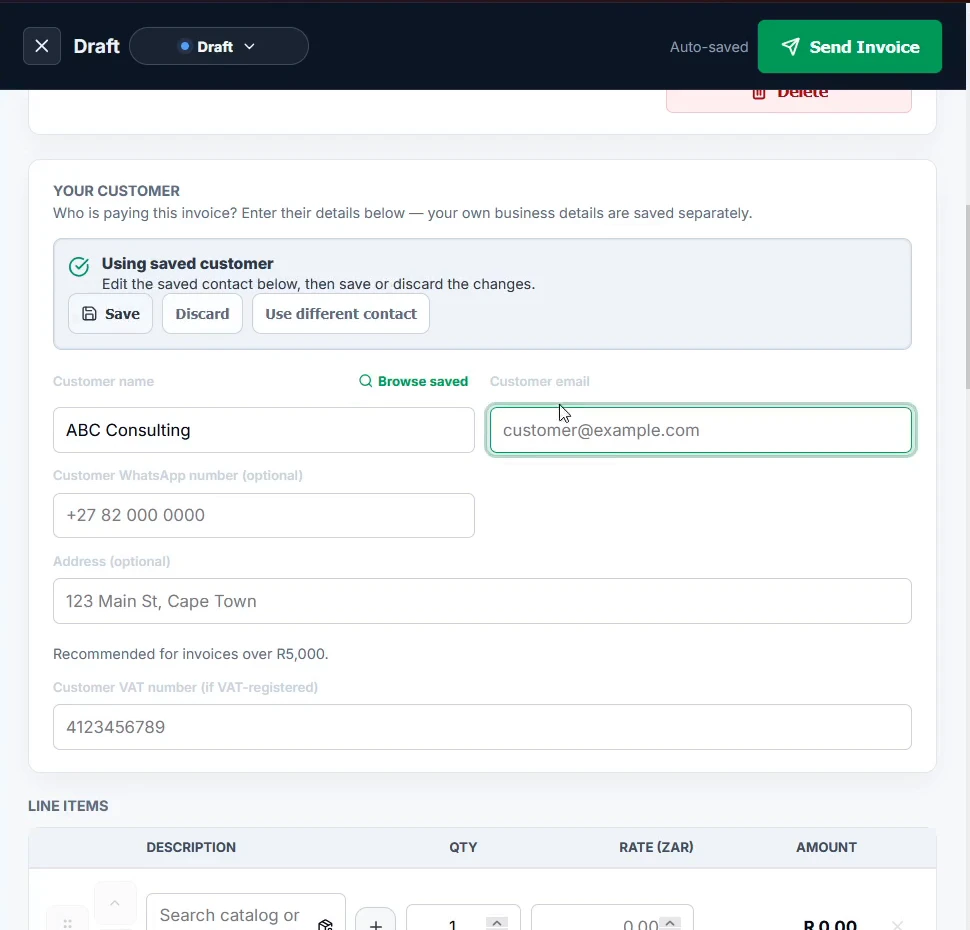
Type your client’s name. Add their email (so you can send the invoice directly) and their address. Tick Save customer to Contacts so next month’s invoice takes ten seconds.
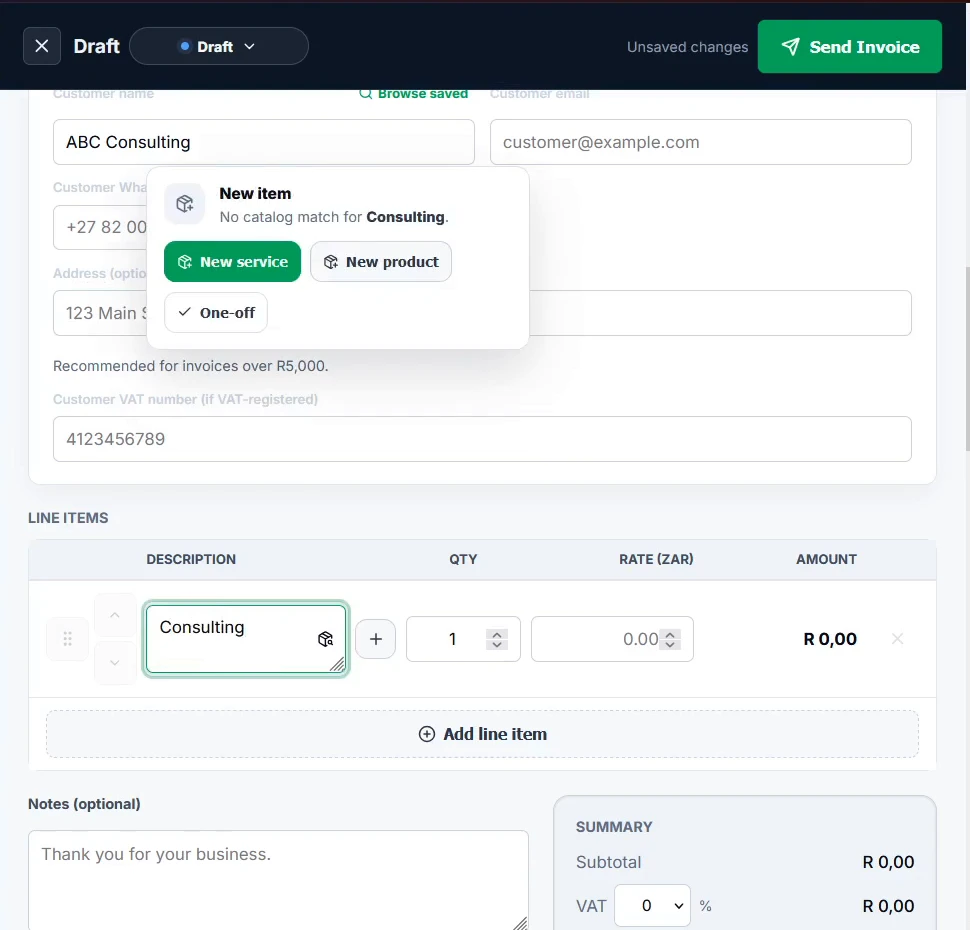
Step 3: Add what you did
Under Line items, describe the work (e.g. “Consulting”), then the quantity and your rate. For example, 1 hour at R1,500.
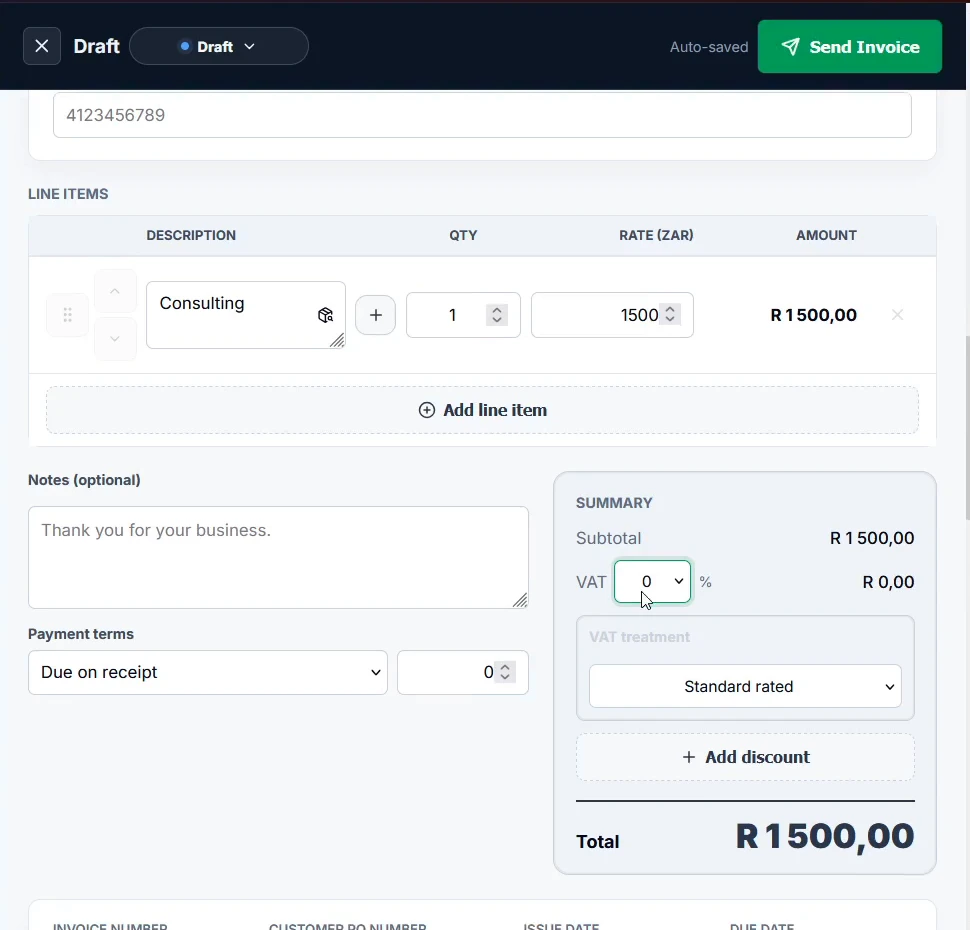
Step 4: Check the VAT is at 0
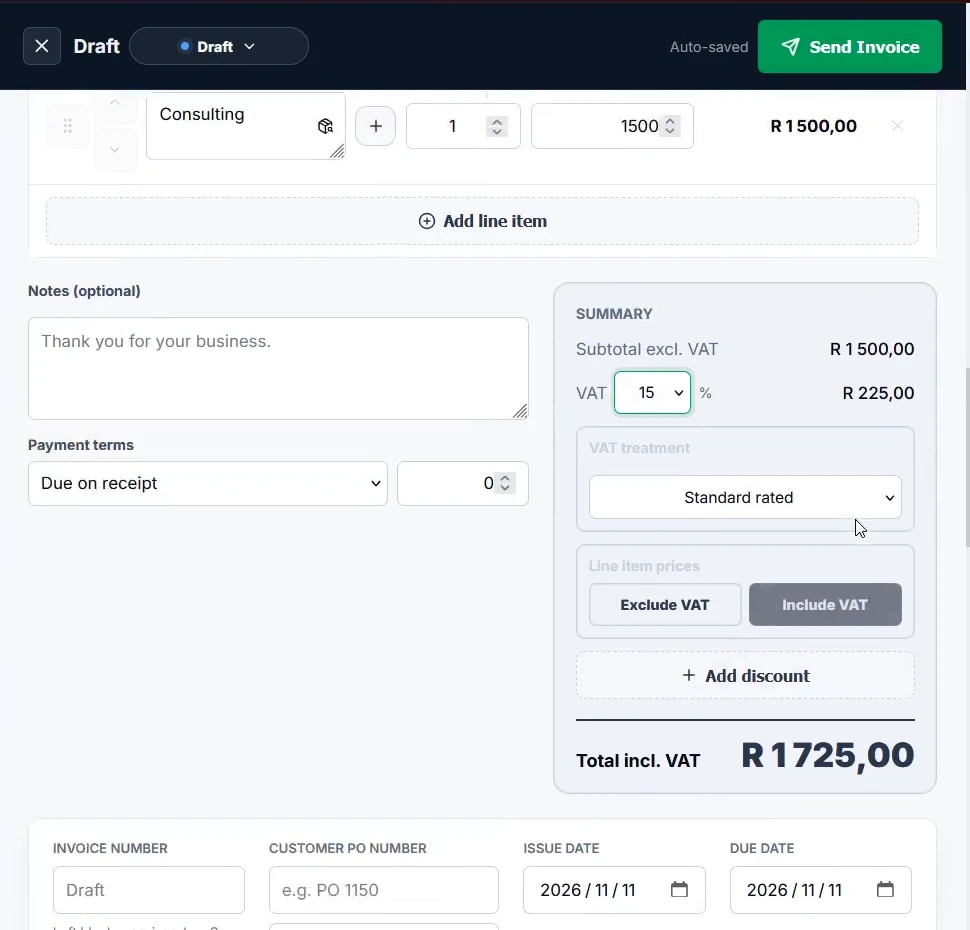
This is the one that matters. In the Summary, VAT must be 0%. Your total is your price: R1,500.
Here’s what it looks like when it’s wrong: VAT switched to 15%, turning R1,500 into R1,725. If you’re not VAT registered, never send this.
Step 5: Send it
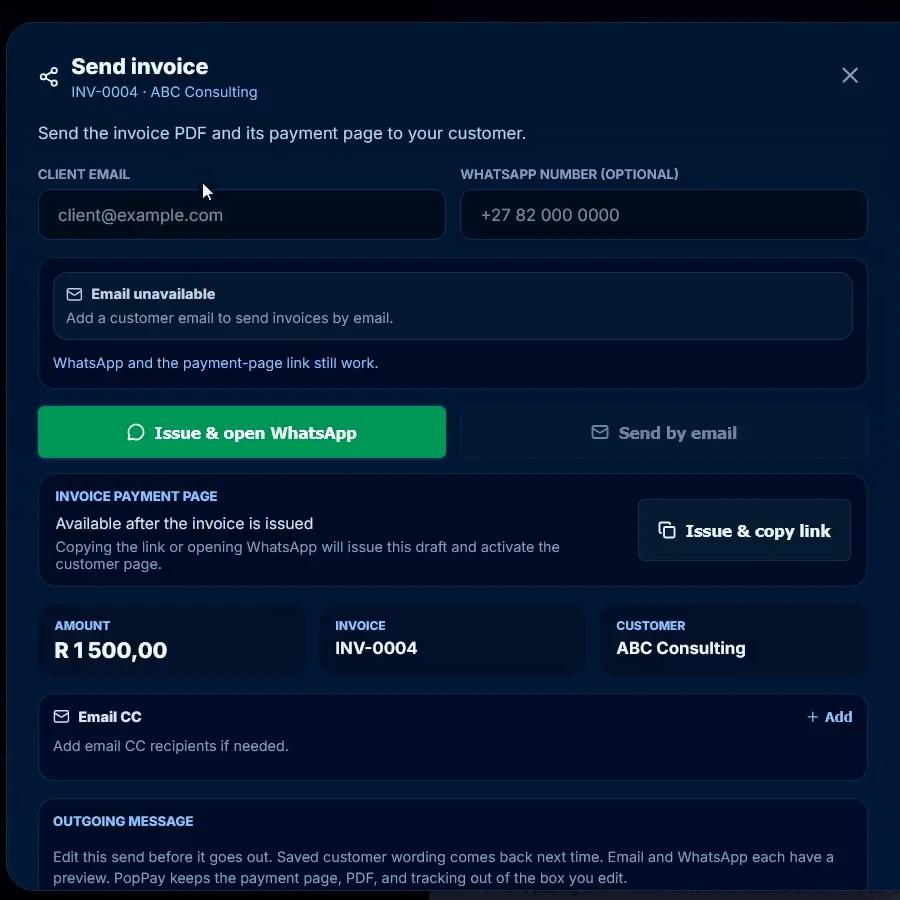
Click Send Invoice. You can send it by email, or Issue & open WhatsApp to send it straight to your client’s phone.
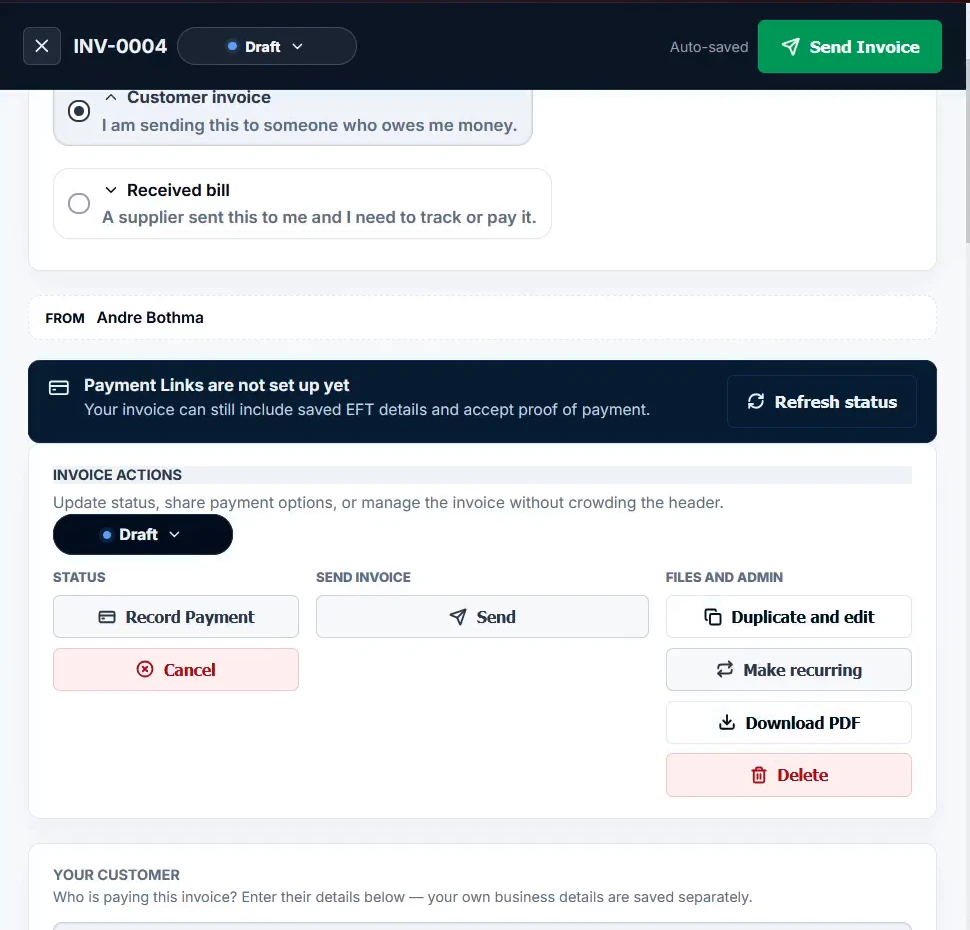
Prefer to send it yourself? Choose Download PDF and attach it to an email or a WhatsApp message.
Done. That’s your first invoice.
That took five steps. Now send yours.
Send your first invoiceCommon mistakes
- Adding VAT “because big companies do”. Big companies are VAT registered. You’re not, yet.
- Calling it a tax invoice. It’s an invoice.
- Random invoice numbers. Keep them in sequence. Gaps make your accountant (and SARS) ask questions.
- No banking details. Make it easy to pay you, and you’ll get paid faster.
- Not keeping copies. Five years. Let your software do it for you.
FAQ
Can I charge VAT if I’m not VAT registered?
No. Only registered VAT vendors can charge VAT and issue tax invoices.
What do I call my invoice if I’m not VAT registered?
Just “Invoice”.
My client is VAT registered. Does that change anything?
No. Their VAT status doesn’t change yours. You still invoice without VAT, and they simply can’t claim VAT back on your invoice.
When do I have to register for VAT?
Once your turnover crosses the compulsory registration threshold, you have to register.
Ready to send your first invoice?
Send your first invoice